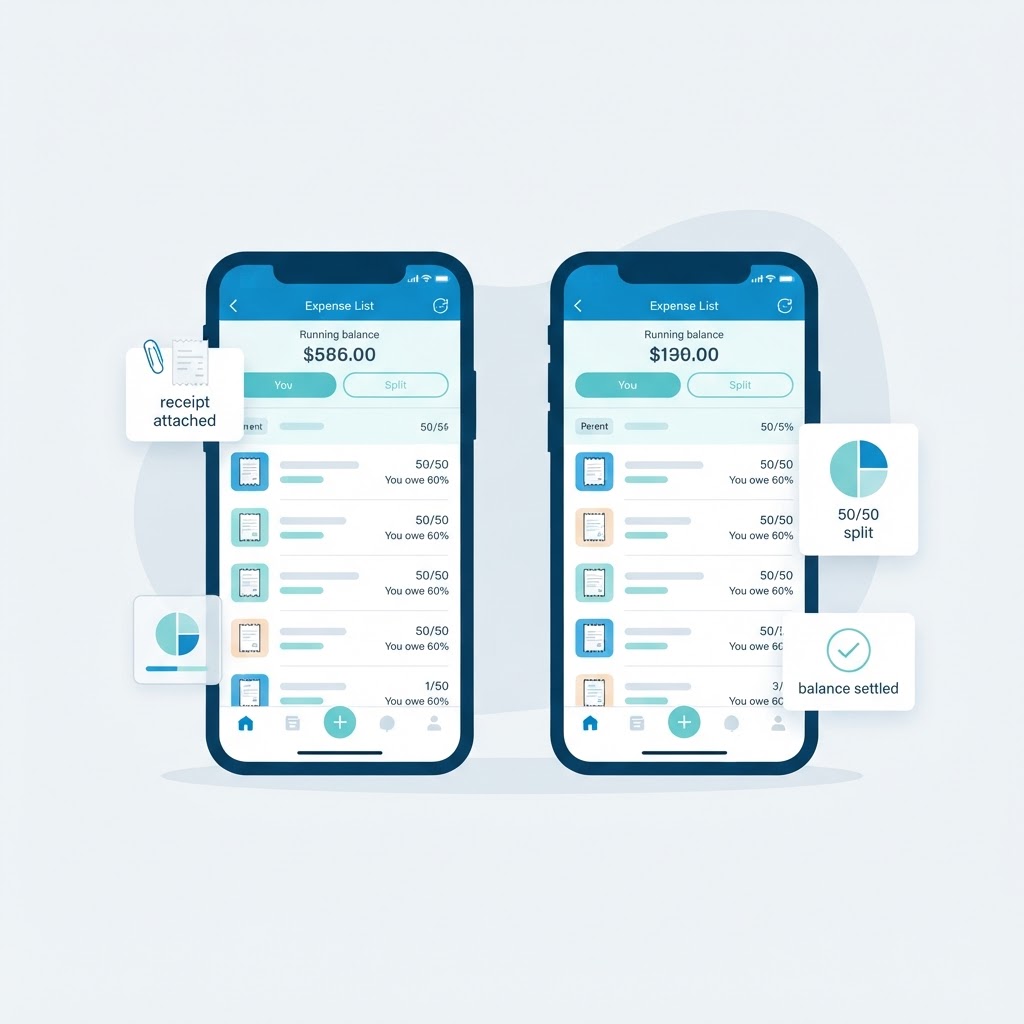
Best Co-Parenting Expense App: What to Look For Before You Choose
Choosing a co-parenting expense app? Here are the seven features that actually reduce money friction, the ones that sound good but rarely help, and a simple checklist to compare options.
CoParent Expenses Team
Written by CoParent Expenses
Table of Contents
Most co-parents do not go looking for a co-parenting expense app because they love apps. They go looking because a text thread full of receipts, Venmo notes, and half-remembered amounts has stopped working.
The pattern is familiar. One parent pays the soccer registration. The other buys school supplies and covers a dental copay. Three weeks later nobody can say exactly what was spent, who paid for what, or how much one parent owes the other. The conversation stops being about money and starts being about memory.
A dedicated co-parent expense tracker fixes that by giving both households the same record. But not every app solves the same problem, and a lot of them are really messaging apps, calendar apps, or payment apps with an expense tab bolted on. This guide covers the features that genuinely reduce friction, so you can compare options on what matters instead of on marketing pages.
Quick Answer
Look for an app where both parents share one expense record, receipts attach to each expense, splits can be custom (not only 50/50), expenses have an approval status, reimbursements update a running balance, records can be exported, and a third party such as a mediator or grandparent can be given read-only access. If an app is missing receipts, splits, or balances, it is a list rather than a tracker.
Why co-parents look for an expense app
Shared child expenses are repetitive, uneven, and easy to forget. Costs arrive at different times from different parents: school fees in September, sports registration each season, medical copays whenever they happen, childcare every month.
Text messages are not built for that. A receipt photo from six weeks ago sits somewhere above a discussion about pickup times, and the amount is only in that photo. Spreadsheets are better at math but nobody wants to be the parent maintaining the file at 11pm, and two people editing one file rarely ends well.
What people actually want is simple:
- One place where every shared expense lives, visible to both parents
- A receipt attached to each expense so there is nothing to reconstruct later
- A clear split so nobody is doing mental math
- A running balance so the question "who owes whom?" has an instant answer
- A record that is factual enough to review calmly instead of reliving an argument
If you are still deciding which costs belong in the app at all, our guide on what expenses should co-parents split covers the common categories first.
The 7 features that actually matter
These are the items that separate a real shared-expense tracker from a note-taking app with a payment button.
| Feature | Why it matters | What to check |
|---|---|---|
| Shared, two-sided record | Both parents must see the same expenses, not their own copy | Can both parents log in and see every expense the other added? |
| Receipts attached to expenses | A receipt in a text thread is lost; a receipt on the expense is proof | Can you upload a photo or PDF to a specific expense? |
| Custom splits | 50/50 does not fit every family; income-based or custody-based splits are common | Can each expense have its own split, or only a global one? |
| Approval status | Lets a parent mark an expense reviewed, pending, or disputed | Is there a status beyond a free-text note? |
| Reimbursements and running balance | Turns individual expenses into "who owes whom, right now" | Does the balance update when a reimbursement is recorded? |
| Categories and per-child tagging | Makes monthly reviews and yearly summaries meaningful | Can you see spending per category and per child? |
| Exportable reports | Useful for your own records, mediation, or a lawyer | Can you export a period as a document? |
A practical comparison checklist. Exact requirements vary by family and by any parenting agreement or court order.
1. One shared record both parents can see
This is the whole point. If each parent keeps their own list, you have two half-records and an argument waiting to happen. The record has to be shared and identical: what was spent, by whom, on which child, in which category, and when.
2. Receipts that stay attached to the expense
A receipt answers the questions that come up weeks later: was it $180 or $185, was that the fall season or spring, was it paid or reimbursed. Keeping the receipt on the expense, rather than in a camera roll or message thread, is the single most useful habit an app can make easy. Our receipt tracking guide covers what to capture.
3. Splits that match your actual arrangement
Many co-parents split 50/50 because it is simple, but plenty use a different percentage based on income, custody time, or their parenting plan. A tracker that only supports 50/50 forces you to do the rest by hand. Ideally each expense carries its own split, so the math stays transparent. See how to split child expenses for the common approaches.
4. An approval status, not just a note
Shared expenses work better when the other parent can acknowledge or question an expense. A status (approved, pending, disputed) makes that a one-tap action instead of a paragraph of text. If disagreements happen regularly, our guide to handling expense disputes explains how a structured record changes the conversation.
5. Reimbursements and a live running balance
Recording reimbursements against the balance is what turns a list into a ledger. Without it, "I already sent you that" becomes a monthly ritual. With it, both parents can see the current number at any moment.
6. Categories and per-child organization
When you review a month or a year, category totals tell you where the money actually goes: medical, school, sports, childcare, clothing. Per-child tagging matters even more if you have more than one child, because a lump total hides everything useful.
7. Exports you can actually use
You may need a record outside the app: for your own files, for a mediator, or for a lawyer. Being able to export a period as a readable document is worth checking before you commit.
Features that sound good but rarely help
A few things look impressive on a features page and matter much less in daily use:
- In-app chat. Nice in theory, but you already have a messaging channel and it will not stay inside the app. Chat also mixes casual conversation with financial records, which is the opposite of what you want.
- Payment processing inside the app. Convenient, but payment apps already do this well. What you need is the record of the reimbursement, not another place to send money.
- Push notification overload. Constant alerts get muted within a week. A few useful notifications (new expense, expense approved, reimbursement recorded) beat twenty.
- Gamification and streaks. Spending on your children is not a habit to build. Streaks do not help anyone reconcile a dental bill.
- A giant all-in-one suite. If the expense tracking is one tab among twenty, it is usually thin. A focused tool tends to be better at the job you came for.
The pattern: prefer features that make the record better, and be skeptical of features that make the app bigger.
App vs spreadsheet vs notes vs payment app
Before choosing a specific product, it helps to know which category of tool you actually need.
| Method | Works well for | Breaks down when |
|---|---|---|
| Text messages and screenshots | Quick, informal updates | Receipts get buried and searching months later is hopeless |
| Shared notes app | A simple running list | No splits, no balance, no approval status, easy to edit by accident |
| Spreadsheet | A handful of expenses and a flat 50/50 split | Receipts stay separate, formulas break, two editors conflict |
| Payment app history | Proving a transfer happened | No categories, no per-child view, no shared picture of who paid first |
| Dedicated co-parenting expense app | Ongoing shared expenses with receipts, splits, approvals, and balances | Requires both parents to actually log expenses consistently |
General comparison. Many families use a mix at first and consolidate as the number of expenses grows.
For a deeper comparison of the two most common starting points, see shared child expense spreadsheet vs. expense tracking app.
Comparing options right now?
CoParent Expenses focuses on one job: a clear, shared record of child expenses, receipts, splits, and reimbursements.
See the featuresQuestions to ask before you choose
Run any app through these before you invite your co-parent to it:
- Does the other parent get the same view I do? If not, the record is not shared.
- Can I attach a receipt to one specific expense? Not a general document folder, the expense itself.
- Can each expense have its own split? Families with income-based splits need this.
- Is there a status on an expense? Approved, pending, disputed beats a blank notes field.
- Does a running balance update when we record a reimbursement? This is the feature that ends the monthly argument.
- Can I see spending per child and per category? Important for reviews and reports.
- Can I export a period? Useful for records, mediation, or legal questions.
- Can someone else see the record without editing it? A mediator, a grandparent, or a new partner sometimes needs visibility, not control.
- What happens to my data if I stop paying? Know this before you invest a year of records.
- Do both parents need an account? Check whether the second parent can join free.
If an app cannot answer 1, 2, 3, and 5 clearly, it will not remove the friction you came to solve.
How CoParent Expenses handles each feature
CoParent Expenses was built as a focused shared-expense tracker rather than a full co-parenting suite, so every feature exists to make the financial record clearer.
- One shared record — every expense is visible to both parents the moment it is added
- Receipt uploads with scanning support, attached to the specific expense
- Custom split percentages per expense, including 50/50
- Expense approvals and disputes so an expense can be acknowledged or questioned
- Reimbursements and a running balance that update as payments are recorded
- Categories and per-child tracking, plus monthly and annual summaries
- Exportable reports when you need a record outside the app
- Read-only viewer access for a third person who needs visibility without editing — see membership and plans for details
It does not try to be your messaging app, your custody calendar, or your payment processor. It does one job: making shared child expenses easy to keep straight. You can compare the details on the features page, see how it works, and check pricing.
Setting up in under ten minutes
Whatever tool you choose, the setup is the same, and it is what determines whether the habit sticks:
- Agree what counts as shared. Write down the categories you both accept, even briefly.
- Agree the split. 50/50, or a percentage based on income or custody time.
- Add both parents. The record only works if both people use it.
- Log the last few expenses. Starting with recent history proves the tool is useful and clears the backlog.
- Set a review rhythm. A short weekly or monthly check keeps the balance from drifting.
- Record reimbursements immediately. The balance is only trustworthy if payments are logged when they happen.
If you are moving from a spreadsheet or a text thread, do not try to reconstruct years of history. Start from the current month and go forward. Consistency matters more than completeness.
Frequently asked questions
What is a co-parenting expense app?▾
A co-parenting expense app is a shared tool where both parents record child-related costs, attach receipts, split the amounts, and track reimbursements, so both households work from one record instead of separate texts and spreadsheets.
What should I look for in a co-parenting expense app?▾
Prioritize a shared two-sided record, receipts attached to each expense, custom split percentages, an approval status for each expense, reimbursements that update a running balance, per-child and per-category totals, and exportable reports. Those features are what actually reduce friction.
Is an app better than a spreadsheet for shared child expenses?▾
For a few expenses a month with a flat 50/50 split, a spreadsheet can be enough. Once receipts, custom splits, approvals, and reimbursements pile up, a dedicated app is usually easier to maintain because both parents see the same live record instead of passing a file back and forth.
Do both parents need to use the app?▾
For the record to work, yes. A tracker used by only one parent becomes a personal list, and the other parent will still be working from their own memory. Most apps let the second parent join without an extra charge for basic access.
Can a co-parenting expense app track custom splits like 60/40?▾
Good ones can. Many parents split expenses by income or custody time rather than 50/50, so check that each expense can carry its own split percentage and that the app calculates each share from it.
How do expense apps handle reimbursements?▾
You record a reimbursement against the running balance, and the balance updates to reflect what has actually been paid. That avoids the monthly back-and-forth about whether a transfer already happened.
Can someone else view our shared expenses without editing them?▾
Some apps offer read-only access, so a mediator, grandparent, or new partner can see the record without adding or changing anything. Check whether that access is available before you rely on it.
Are co-parenting expense records useful outside the app?▾
They can be. A clear record of dates, amounts, receipts, and splits is useful for your own files, for mediation, or for questions about your parenting agreement. Choose an app that can export a period as a readable document. This is general information, not legal advice.
Pick the app that makes the record better
The best co-parenting expense app is not the one with the most features. It is the one where both parents can see the same expenses, receipts, splits, and balance without extra work, so money stops being the topic of every difficult conversation.
Start with a clear record: CoParent Expenses.
See how CoParent Expenses handles every item on this list
One shared place for expenses, receipts, splits, approvals, reimbursements, and balances. Both parents see the same numbers.
Start organizing with CoParent Expenses